> ## Documentation Index
> Fetch the complete documentation index at: https://docs.examin8.com/llms.txt
> Use this file to discover all available pages before exploring further.
# Creating Multiple Sets
> Description of your new file.
In an examination setup, maintaining question paper integrity is crucial to prevent cheating and ensure fairness. To address this, **Examin8** provides a powerful feature called **Multiple Sets**.
**Multiple Sets** allow teachers to create more than one version of the same question paper — for example, *Set A*, *Set B*, and *Set C*. Each set follows the **same blueprint or structure** (same chapters, question types, marks distribution, and difficulty level) but contains **different questions** or **a shuffled arrangement** of the same questions.
To create multiple sets for a question paper, access question card in [https://app.examin8.com/user-testpapers/](https://app.examin8.com/user-testpapers/), click **Actions** and select **Repeat** option.
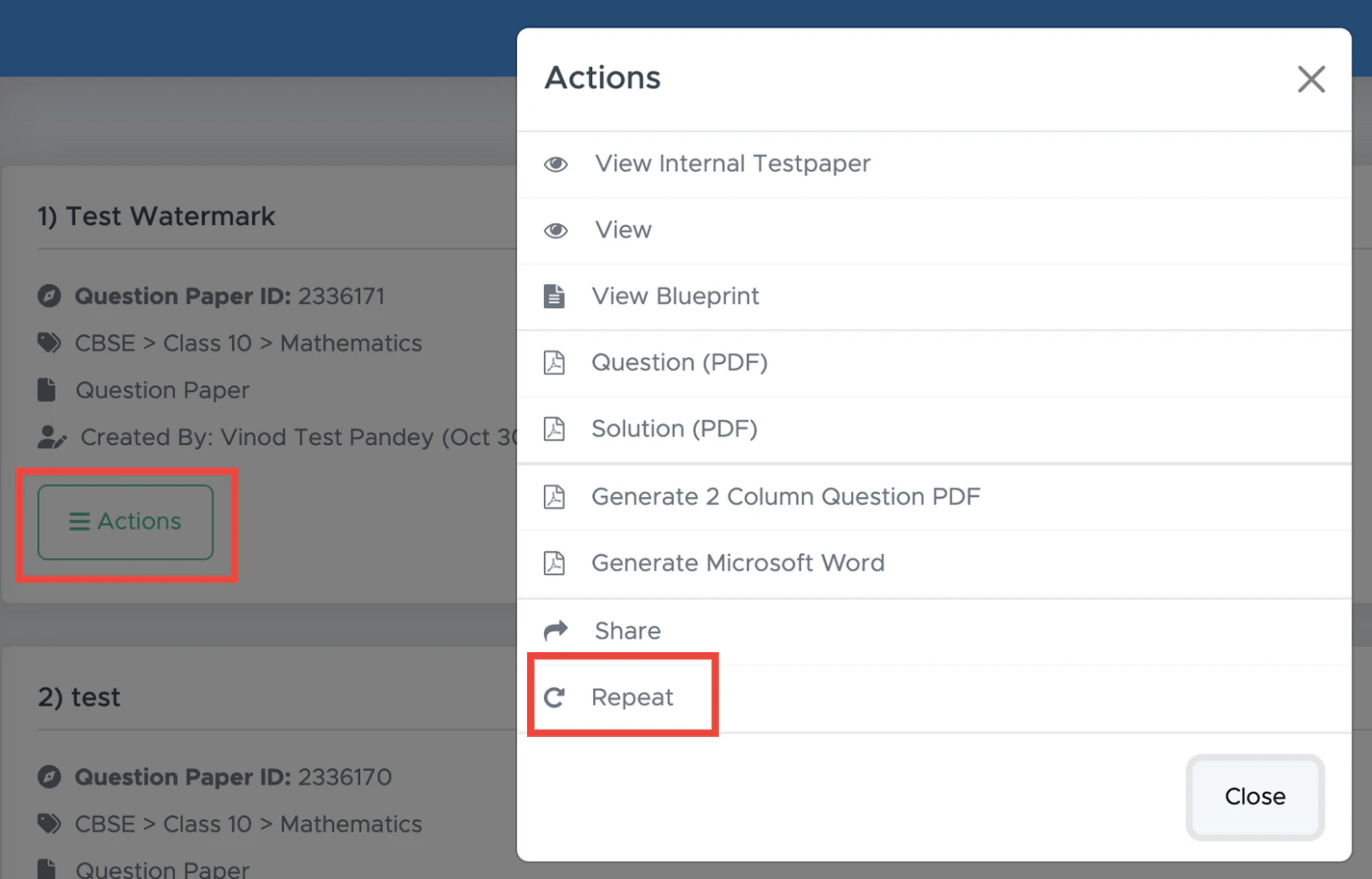 This will open a popup with details to create sets.
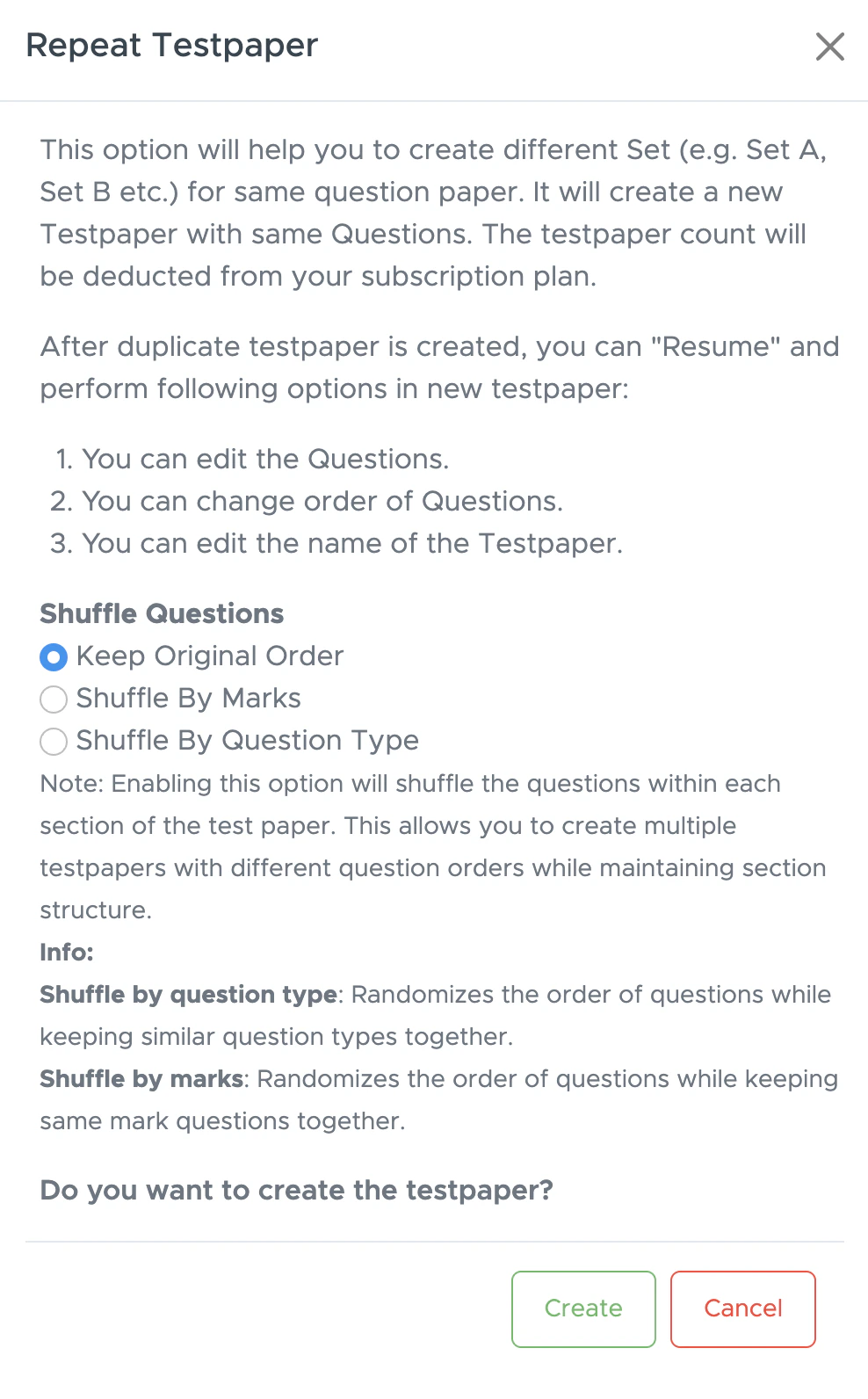 Select options as per your requirement and a new testpaper is created.