> ## Documentation Index
> Fetch the complete documentation index at: https://docs.examin8.com/llms.txt
> Use this file to discover all available pages before exploring further.
# Download & Share PDF
> This article walks you through a quick and simple method to download and share question paper PDFs and solution PDFs on your mobile phone.
### Question Paper PDF
[Examin8.com](http://Examin8.com) provides the option to create question papers in PDF or Word format with your name and logo. Here is a sample PDF file (with institute header):
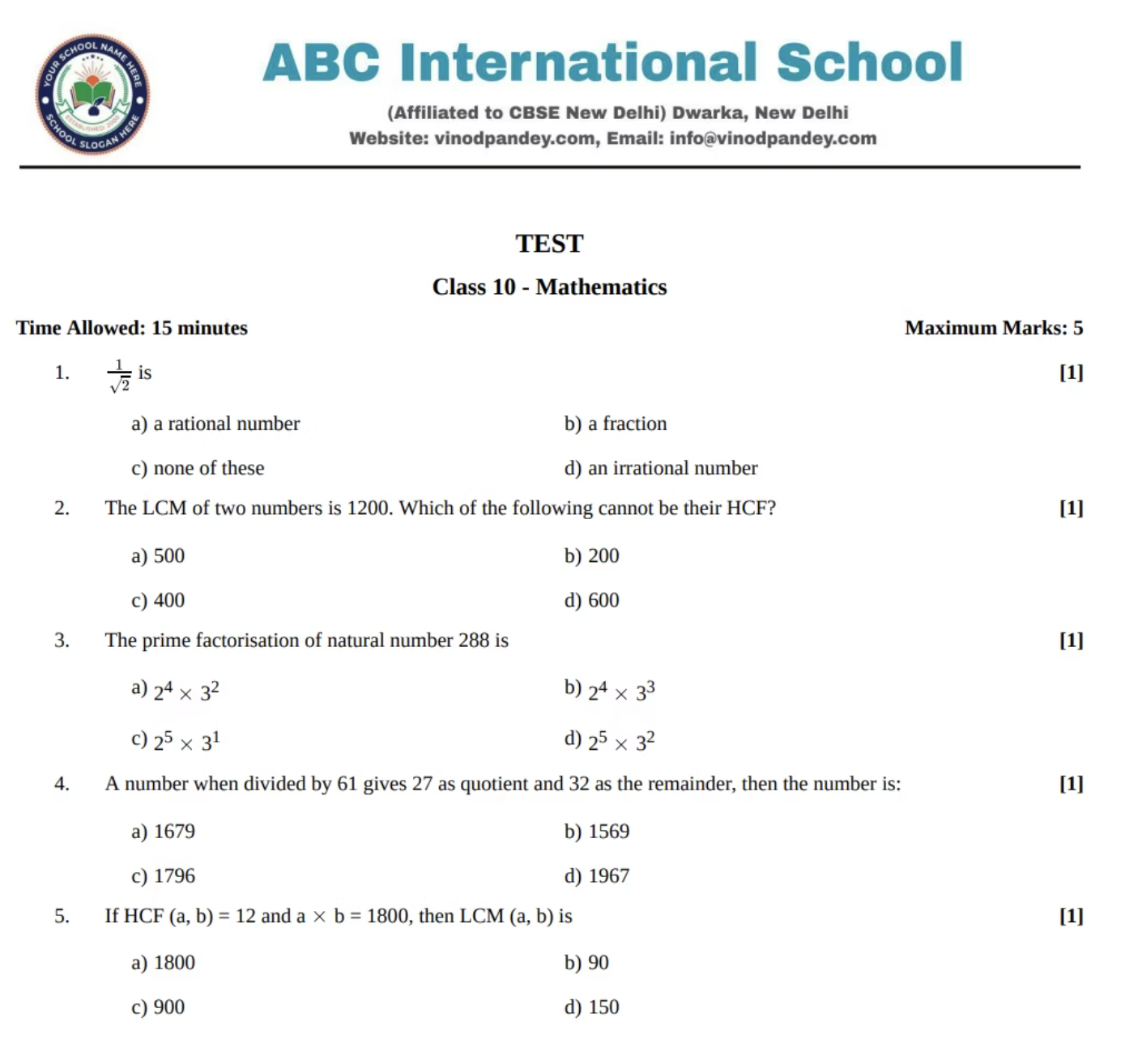 On [Examin8.com](http://Examin8.com) Test Generator, you can create the Question Paper, Worksheet and Online Test.
You will get the question PDF and the Solution PDF automatically in case of the question paper and worksheet. But in the case of online tests, you will automatically get a link to share with your students to attempt the test online.
Here is how you can get a PDF for online tests.
### Video Tutorial
[https://www.youtube.com/shorts/lu0QDnB5Cik](https://www.youtube.com/shorts/lu0QDnB5Cik)
### Access Test Generator
There are three ways to access Test Generator:
1. **On myCBSEguide App**: Go to Google Play Store, search for [myCBSEguide](https://play.google.com/store/apps/details?id=in.techchefs.MyCBSEGuide) App. The most important step is to **UPDATE** the myCBSEguide app to the latest version. Then open the myCBSEguide app and change your profile to TEACHER from settings on the top right. Then, the [**Test Generator**](https://examin8.com) link will automatically appear on the dashboard.
On [Examin8.com](http://Examin8.com) Test Generator, you can create the Question Paper, Worksheet and Online Test.
You will get the question PDF and the Solution PDF automatically in case of the question paper and worksheet. But in the case of online tests, you will automatically get a link to share with your students to attempt the test online.
Here is how you can get a PDF for online tests.
### Video Tutorial
[https://www.youtube.com/shorts/lu0QDnB5Cik](https://www.youtube.com/shorts/lu0QDnB5Cik)
### Access Test Generator
There are three ways to access Test Generator:
1. **On myCBSEguide App**: Go to Google Play Store, search for [myCBSEguide](https://play.google.com/store/apps/details?id=in.techchefs.MyCBSEGuide) App. The most important step is to **UPDATE** the myCBSEguide app to the latest version. Then open the myCBSEguide app and change your profile to TEACHER from settings on the top right. Then, the [**Test Generator**](https://examin8.com) link will automatically appear on the dashboard.
 2. **On Examin8 App**: Go to Google Play Store, search for Examin8 App and update it to the latest version. Open the app and select your profile as TEACHER to proceed.
 3. **On Google Chrome**: Simply visit [https://examin8.com](https://examin8.com) on Google Chrome to access Test Generator. Open the site and click Start Now.
 ### Share on WhatsApp as PDF
Here are the steps to open the question paper PDF and the solution PDF:
1. On the Examin8 Test Generator dashboard, go to MY PAPERS.
2. Now browse your question paper and click the ACTIONS button.
### Share on WhatsApp as PDF
Here are the steps to open the question paper PDF and the solution PDF:
1. On the Examin8 Test Generator dashboard, go to MY PAPERS.
2. Now browse your question paper and click the ACTIONS button.
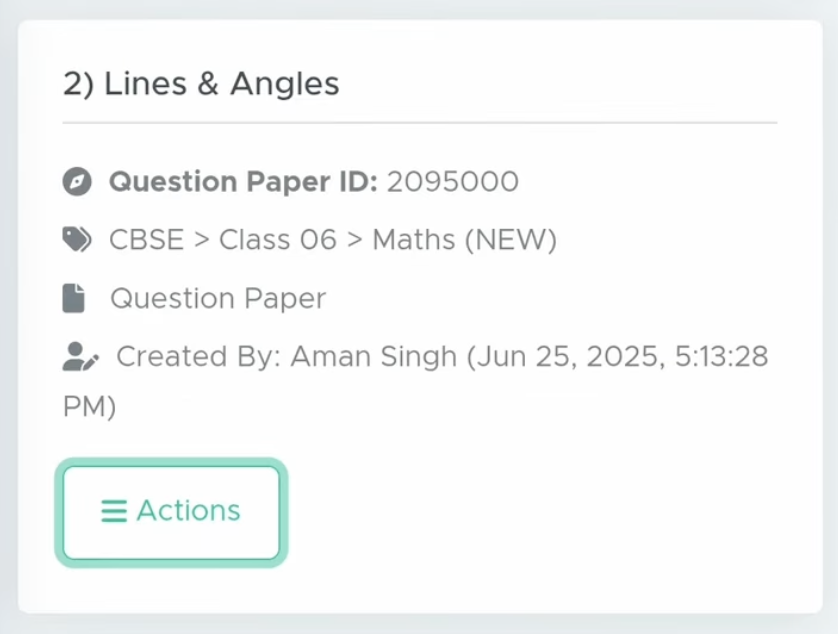 3. After that, click Question PDF or Solution PDF there.
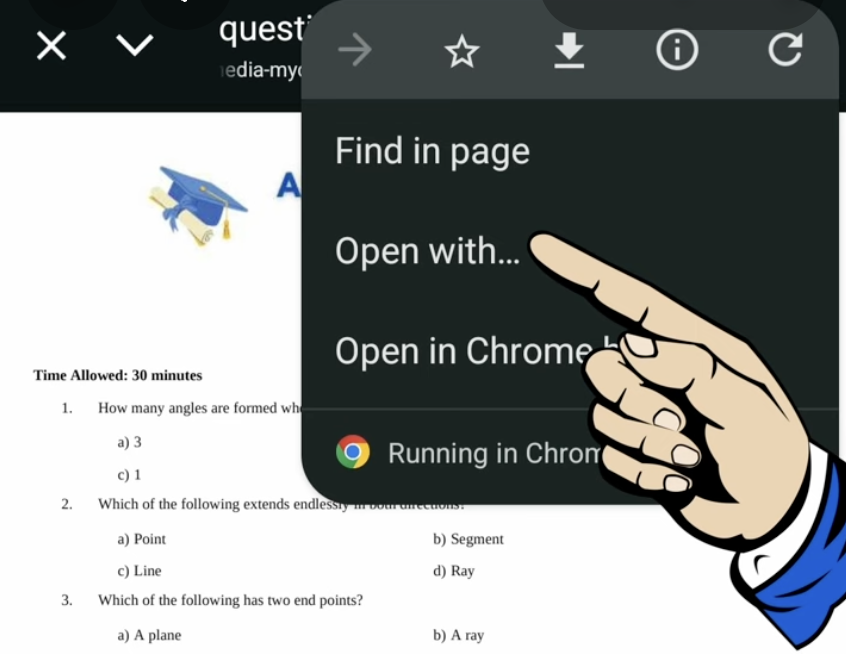
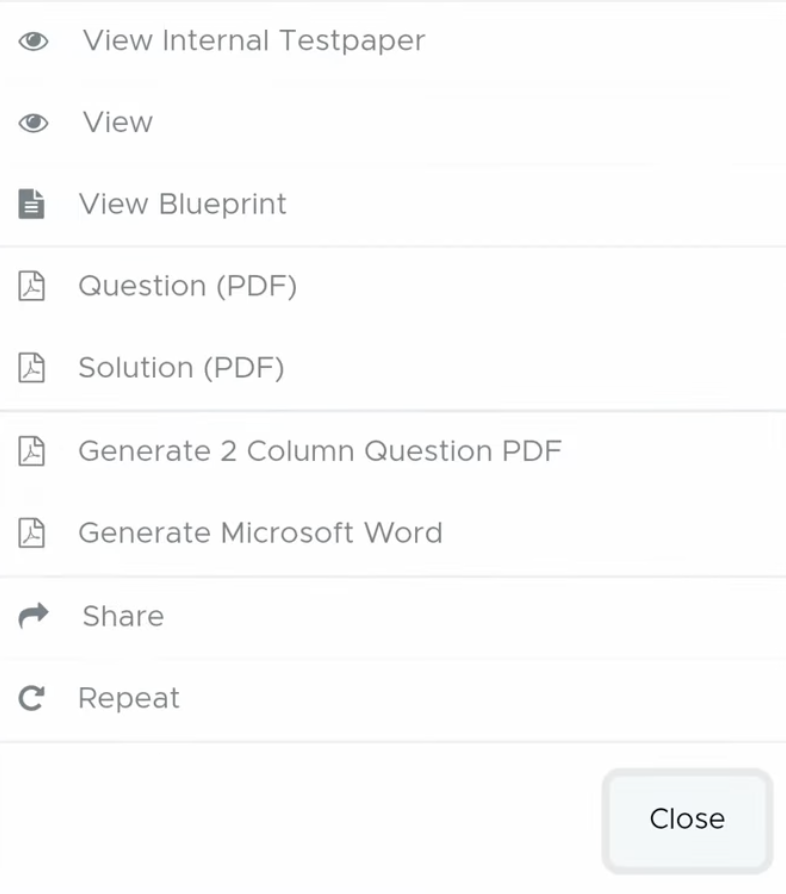 4. Then, click on three vertical dots.
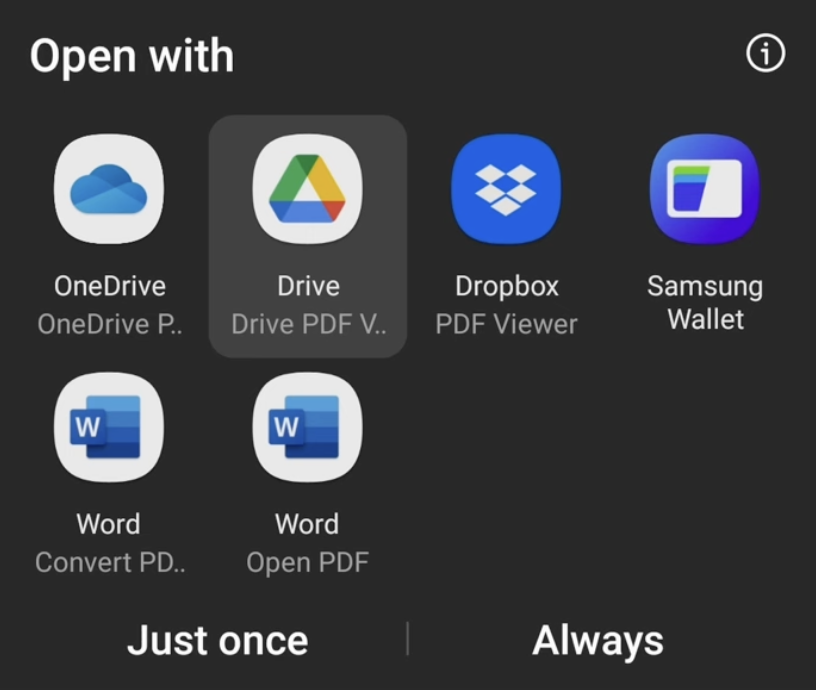
 5. and click on OPEN WITH there.
 6. Choose open with Google Drive (recommended) or any PDF viewer. Don't use WPS Office; it may not work.
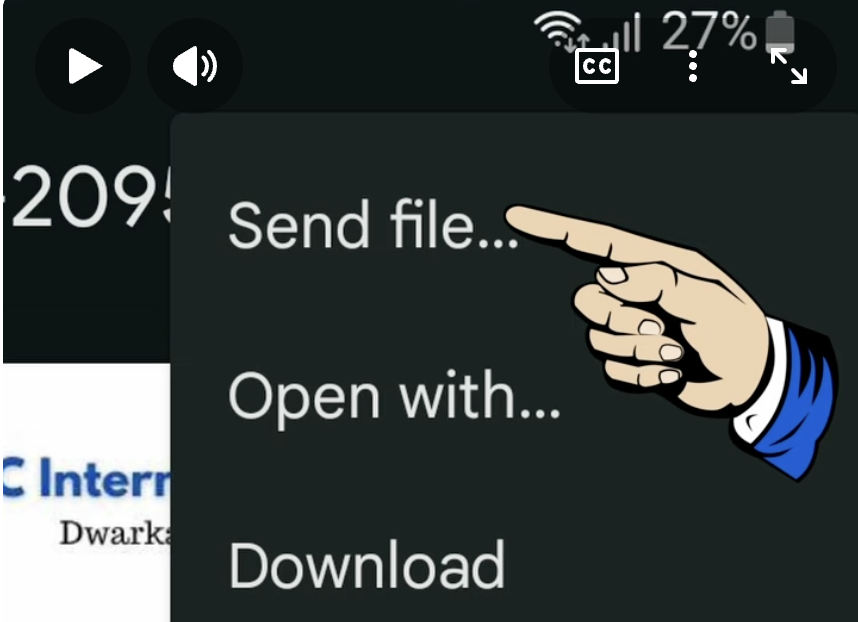
 7. Now click again on the three dots.
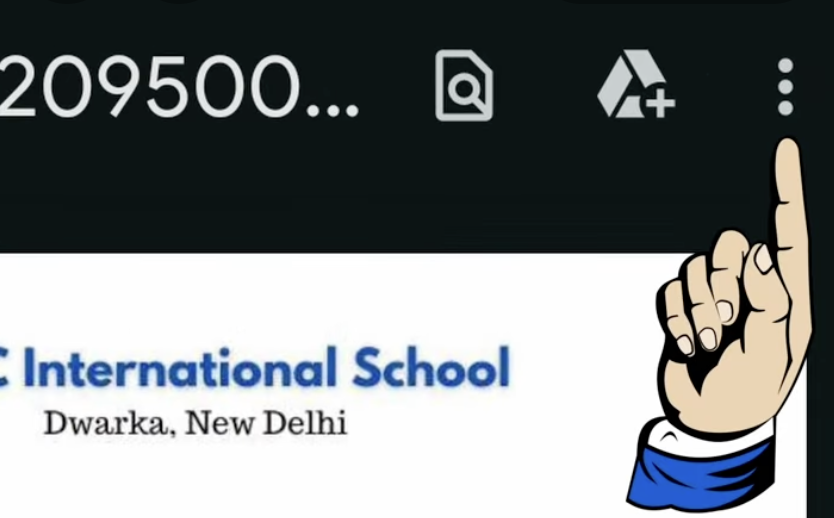 8. Then, to **share it on WhatsApp**, click **Send file**.
 9. Then select WhatsApp from the options.
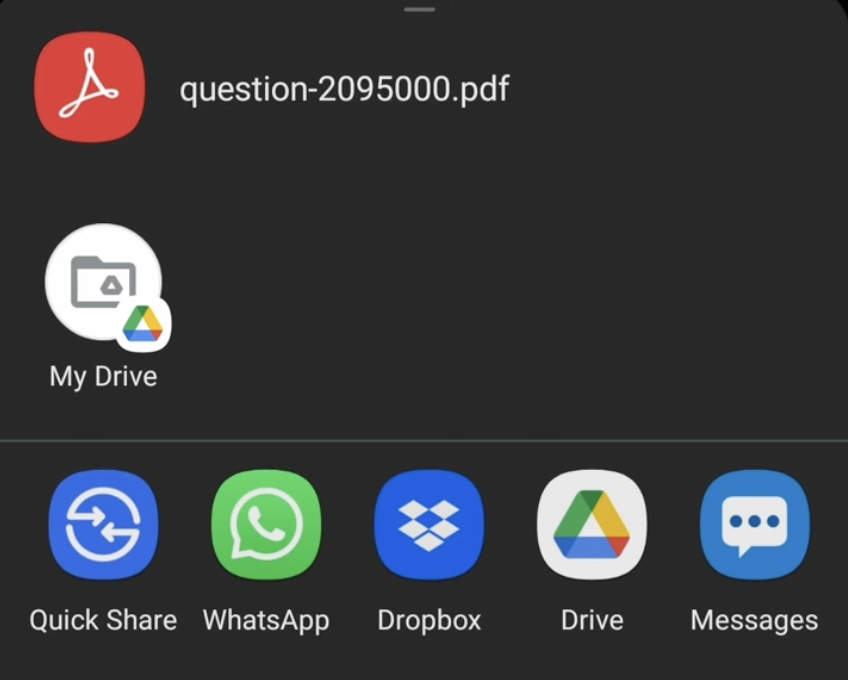 10. It's done.