> ## Documentation Index
> Fetch the complete documentation index at: https://docs.examin8.com/llms.txt
> Use this file to discover all available pages before exploring further.
# Question Paper PDF
> Description of your new file.
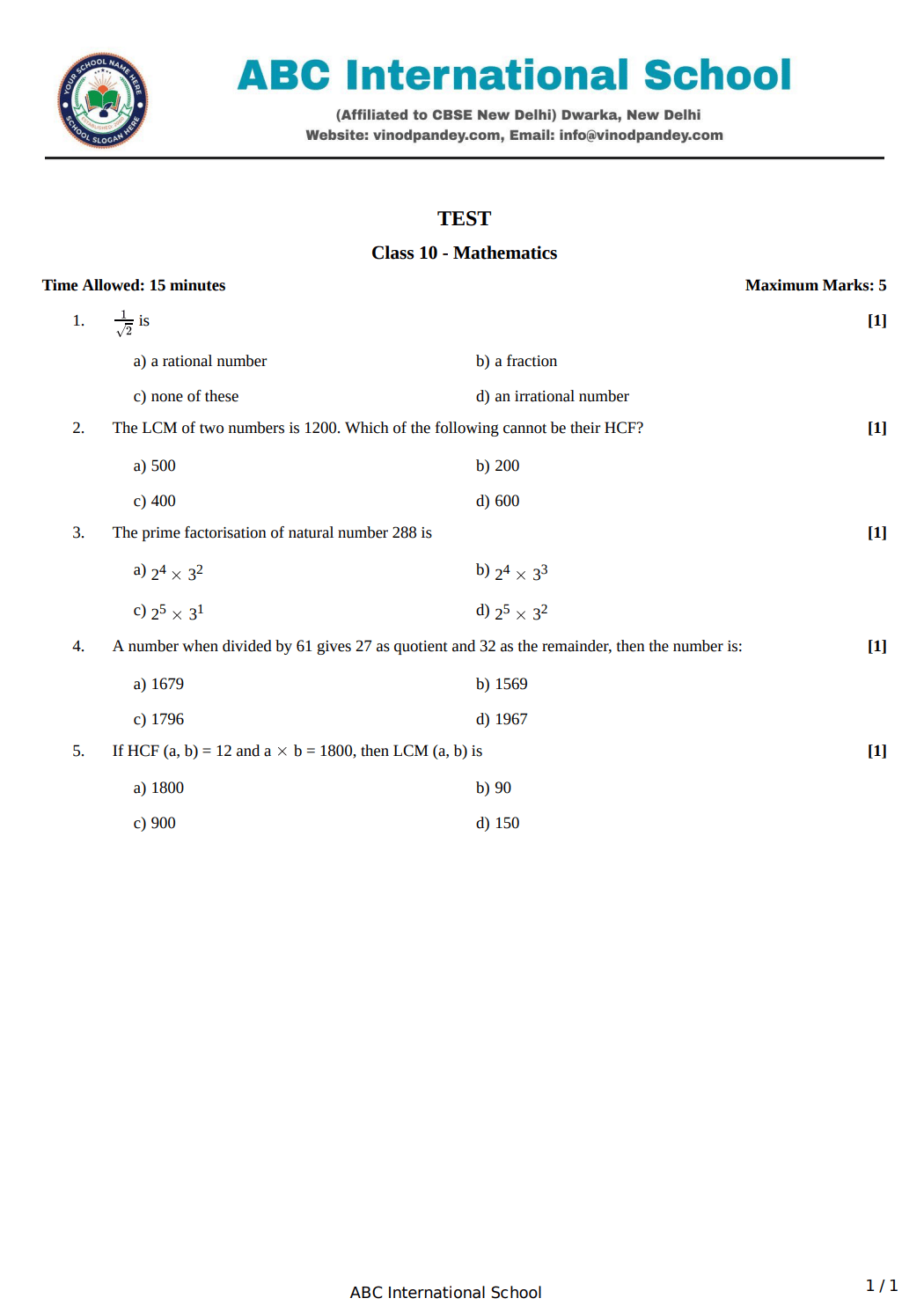
We provide the option to create testpaper in PDF format with you name and logo.
Sample PDF file (with institute header):
 Below are the testpaper types we support.
* Question Paper (PDF/Word)
* Worksheet (PDF/Word)
* Online Test - Objective (Link)
* Online Test - Subjective (Link)
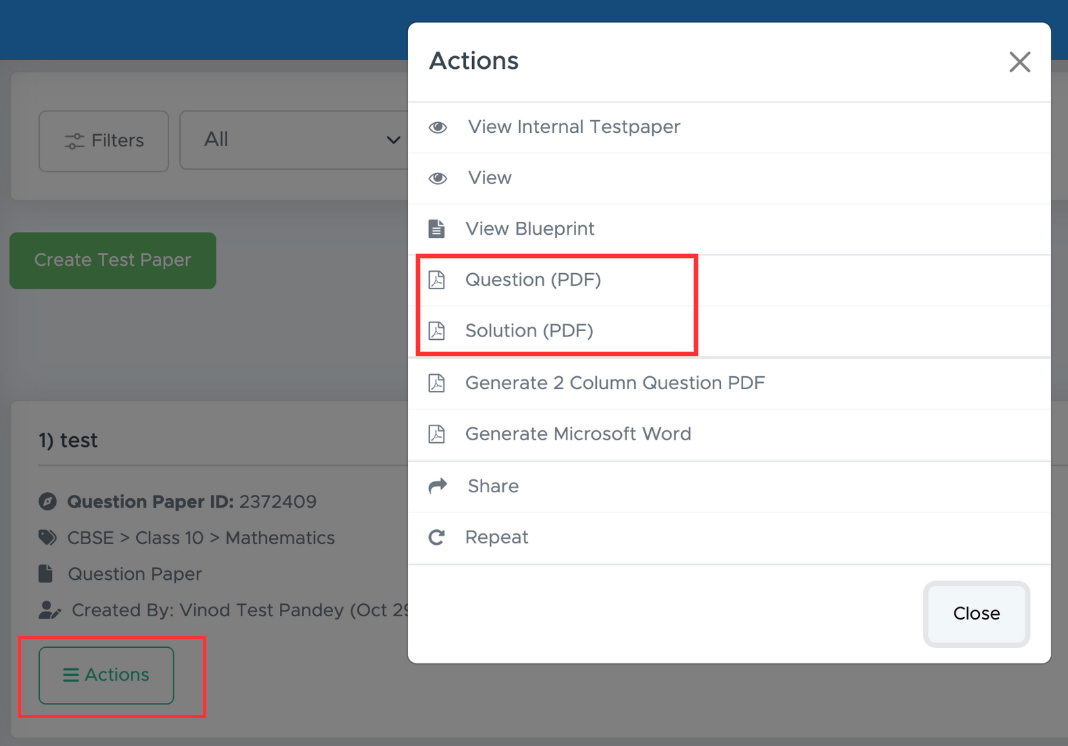
When you create a \*\*Question Paper \*\*or **Worksheet**, the PDF is automatically generated. You can download the PDF by clicking \*\*Actions \*\*button in [https://app.examin8.com/user-testpapers](https://app.examin8.com/user-testpapers)
Below are the testpaper types we support.
* Question Paper (PDF/Word)
* Worksheet (PDF/Word)
* Online Test - Objective (Link)
* Online Test - Subjective (Link)
When you create a \*\*Question Paper \*\*or **Worksheet**, the PDF is automatically generated. You can download the PDF by clicking \*\*Actions \*\*button in [https://app.examin8.com/user-testpapers](https://app.examin8.com/user-testpapers)
 When you create **Online Test - Objective** or **Online Test - Subjective**, you can generate the PDF after the testpaper has been created.
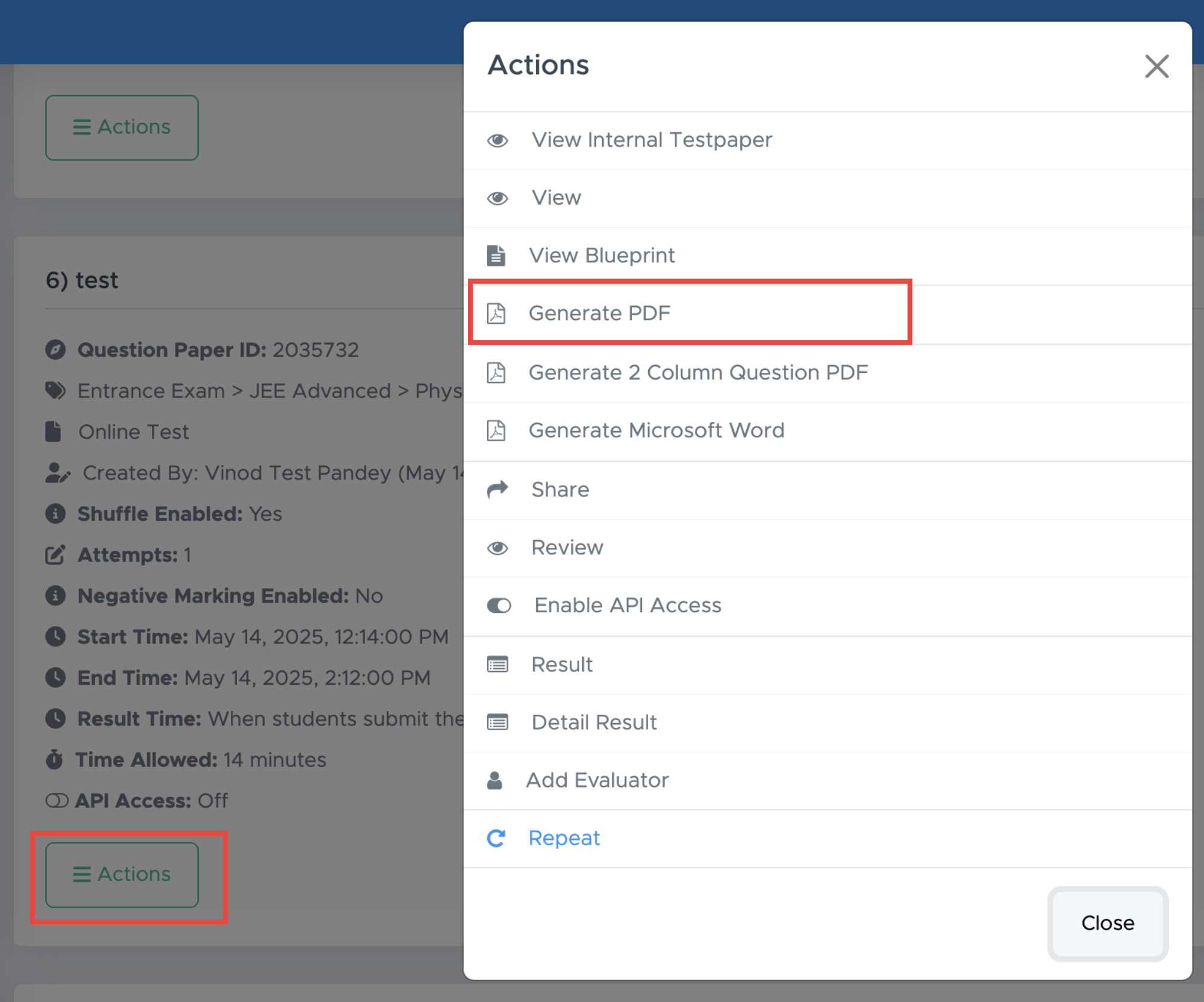
After testpaper has been created, click on \*\*Actions \*\*button and select **Generate PDF**
When you create **Online Test - Objective** or **Online Test - Subjective**, you can generate the PDF after the testpaper has been created.
After testpaper has been created, click on \*\*Actions \*\*button and select **Generate PDF**